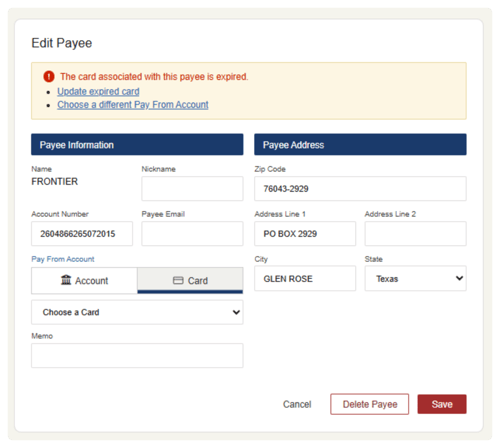
The person or business you're sending money to is called a payee. You may have selected a credit card as the default payment method for a payee (which is a great choice!) but when a credit card reaches its expiration date, you'll need to update the default payment method.
We'll notify you that a card has expired, and give you options to update your payment method:
1. Email Notification - we'll send an email notice about the expired card, and ask you to log into online bill pay to rectify it.
2. Within online bill pay - when you open bill pay, you'll see a notice on the All Payees page.
View expired card messages in online bill pay
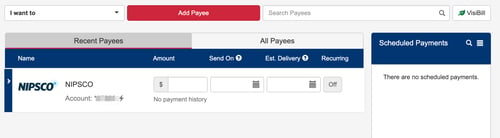
- Navigate to your list of payees inside Bill Pay.
- Click the Review Messages button.
- The Edit Payee box will appear, along with a warning message that the card is expired.
- Click on an action in the message to continue. You may choose to Update expired card or Choose a different Pay From Account.