
To sign in for the first time
- Open the invitation email that asks you to verify your email address, and follow the link.
- Open the second email, and follow the link to set your password.
- Sign in with your email address and new password.
To sign in to the management portal
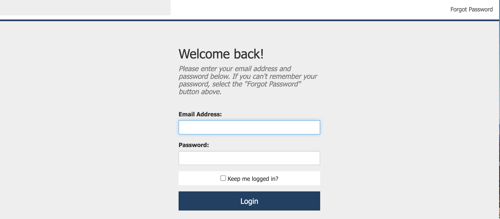
- Go to the management portal address (https://manage.rcgiltner.com/).
- Enter your email address and password.
- Click Login.
Note: If you forget your password, click Forgot password in the upper right corner of the sign in screen.
The Home screen opens and shows recent sign ups and application activity.
Best practice: Bookmark the management portal address for easier ongoing access. The portal is separate from your borrower loan sites and from online banking.
What each menu item does
The menu on the left side of the screen takes you to each area of your program.
Note: Your internal product owner sets up your user record and chooses which areas you can see. If a menu item is missing, ask your product owner.
| Menu item | What it is for | Who usually uses it |
|---|---|---|
| Home | Recent sign ups and application activity. Use it for a quick check of what came in. | Everyone |
| Daily Import | Import files and view import history; View file requirements/definitions; access API keys | Admins, select operations staff |
| Action Center | New loans, renewals and monitoring actions waiting for your team to complete. | Loan operations |
| Activity Archive | Completed, canceled and adverse action records, with documents and the event log. | Loan operations, admins, auditors |
| Credit Monitoring | Active loans with alerts for credit or deposit changes. | Loan review |
| Reports | Loan volume, activity and performance reports. | Product owner, managers |
| Research Tool | Look up a borrower's records, applications and status. | Loan operations, support |
| Email Delivery | Every email sent to a borrower, including attachments. You can print or resend an email from this area. | Loan operations, support |
| Settings | Access loan sites; product disclosures, email templates, FAQ templates, and credit underwriting. | Product owner and admins only |
| Accounts | Employee users and what each one can access. | Product owner and admins only |
Note: The Action Center, Activity Archive and Credit Monitoring sit under Program Maintenance.
Best practices
Check Program Maintenance > Action Center every business day for loans to book, records to archive and monitoring alerts. Select the business or consumer product first in the dropdown, then filter for the work you want to do using the filter toggles.
It's recommended you turn on only the filters that apply to your role at the financial institution. Once you've customized your filter views, the filters will stay the same in subsequent logins.
If you can't sign in, see A staff member can't sign in to the management portal. To control who sees each area, see Managing users and permissions.